

Cointime

Download App
iOS & Android

How-To Stake ADA Using Ledger Hardware Wallet

Validated Individual Expert

In this guide, I will show you how to stake Cardano ADA on your Ledger hardware wallet in 9 simple steps. Includes images for every step.

Advantages of staking ADA

  • The minimum staking amount is low — only a few ADA are needed. However, you cannot decide how much to stake, you need to stake the full amount you have in your wallet.
  • No locking-up period. You can unstake the ADA you staked at any time.
  • The staking fee is low, only 3% with AdaLite’s staking pools.
  • Easy to set up. You can stake with Ledger, no need to send your ADA to a centralized exchange.

Disadvantages of staking ADA

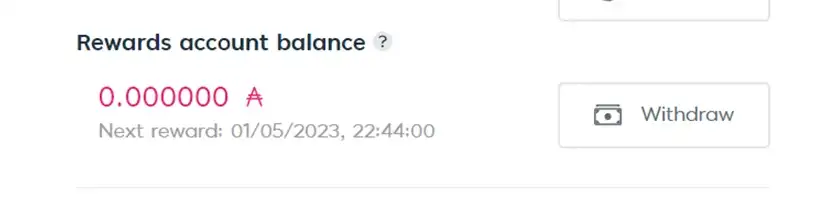
  • The reward period can be long. With the staking I just made, the rewards will be sent to my reward account on the 1st of May 2023.
  • Not really a disadvantage, but you need to set up and prepare a few things before you can stake. In the following, I will show you how to do that.

How to stake ADA on a Ledger hardware wallet

1) Open the Ledger Live App on your computer, and upgrade to the latest version. The is normally a reminder on the top of the Ledger Live window.

2) Connect your Ledger to your Ledger Live App. Enter your password.

3) In case you haven’t done so already, install the Cardano App on your Ledger. Then, open the Cardano App from your Ledger.

4) Go to adalite.io and pick the option ‘Hardware Wallet’.
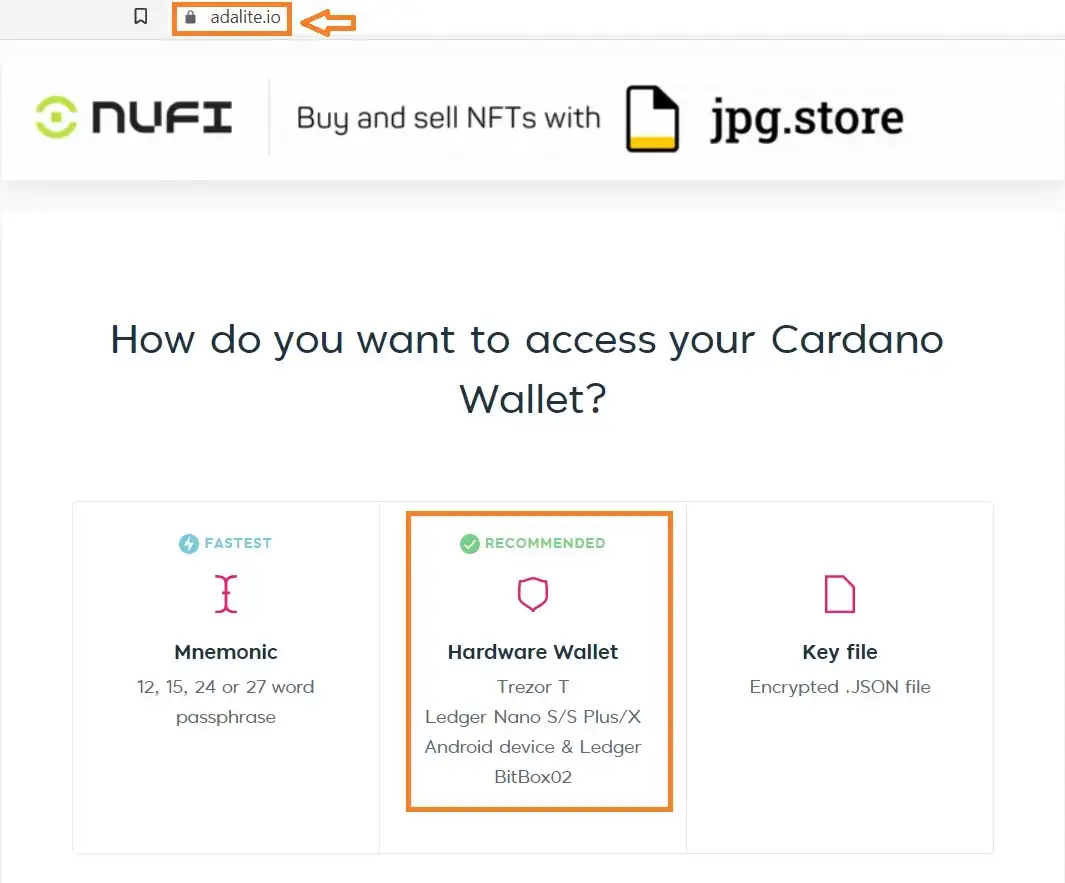
Pick ‘Hardware Wallet’ on adalite.io

5) Then you need to choose the hardware wallet you are using to stake ADA. I use Ledger, so I picked the middle one. Then there will be a window popping up, you need to select the Ledger device and click ‘connect’. If there is an error message appearing in this step, it could be that you have left your Ledger device too long without doing anything, and you need to re-enter your password to unlock your Ledger device and open Cardano ADA App again. Try to connect to AdaLite again when you see the message ‘Cardano is ready’ on your Ledger’s screen.
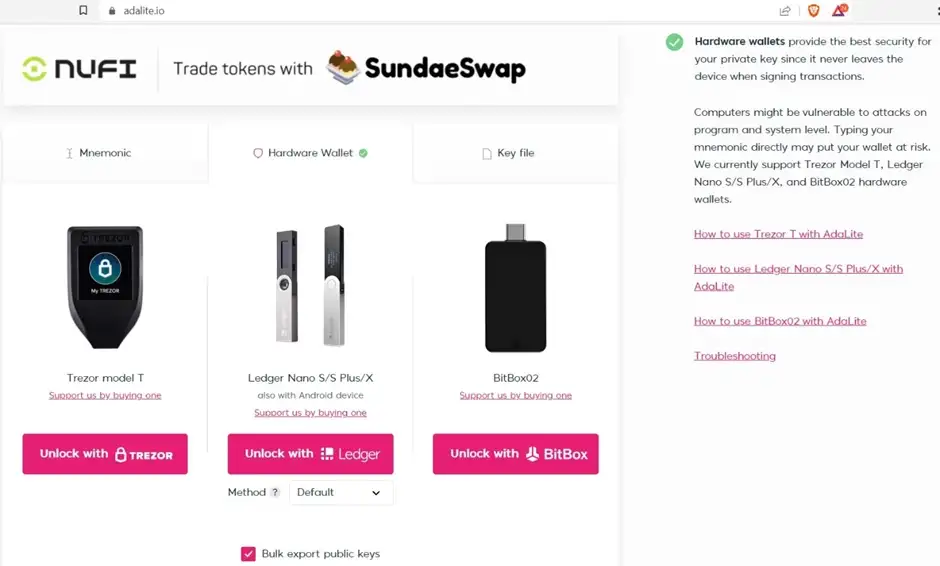
6) If the connection is successful, you will see the screen saying ‘Loading wallet data’. Here you need to confirm on your Ledger device to export public keys.
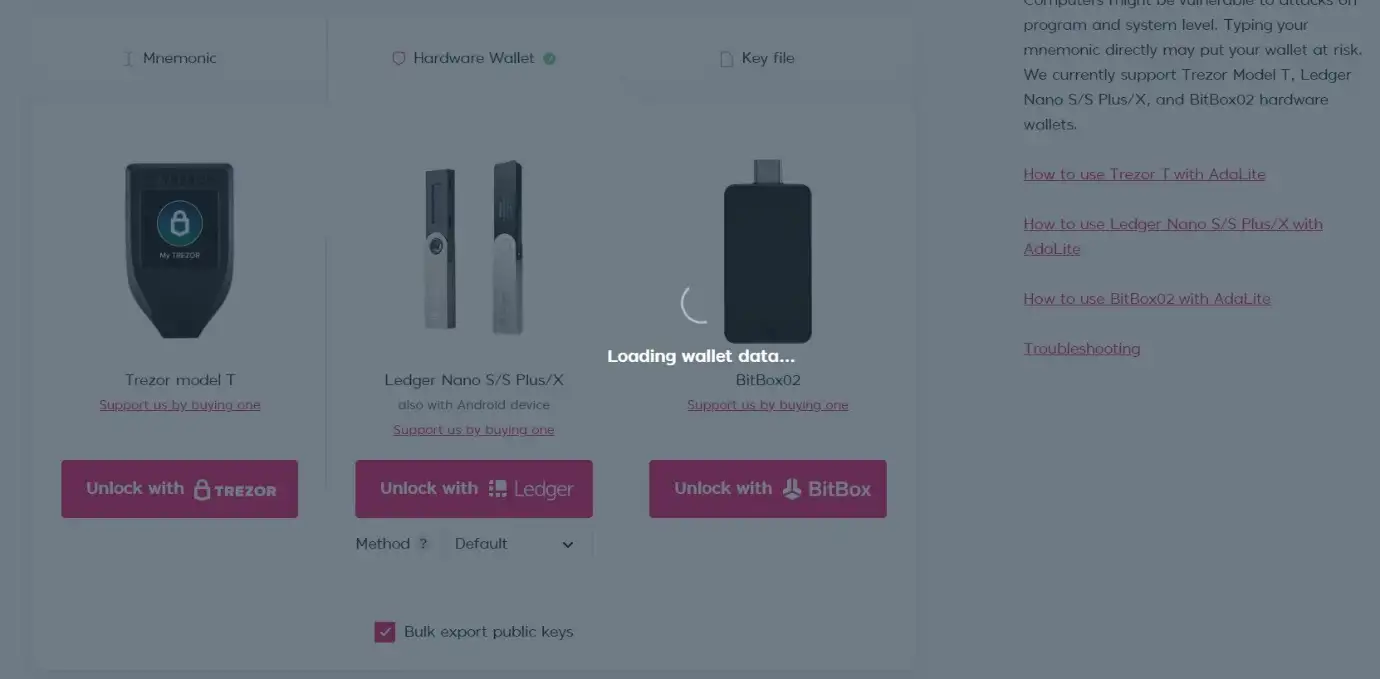
Wait for your hardware wallet to connect with adalite.io

7) After this, the connection is established. You can see the balance of ADA on your screen. Go to the ‘Staking’ tab.
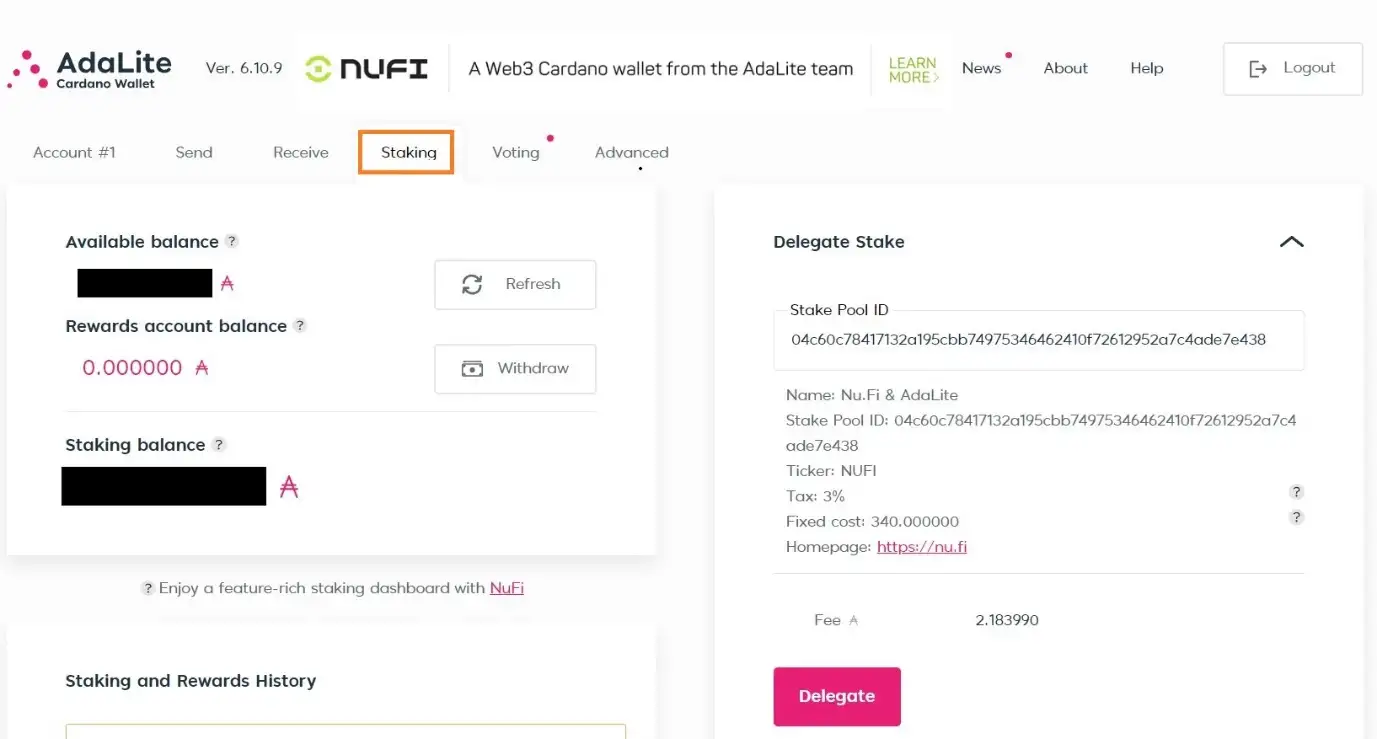
Next, go to the ‘Staking’ tab.

8) AdaLite offers multiple staking nodes. Pick one or simply use the default one that appears on the screen.
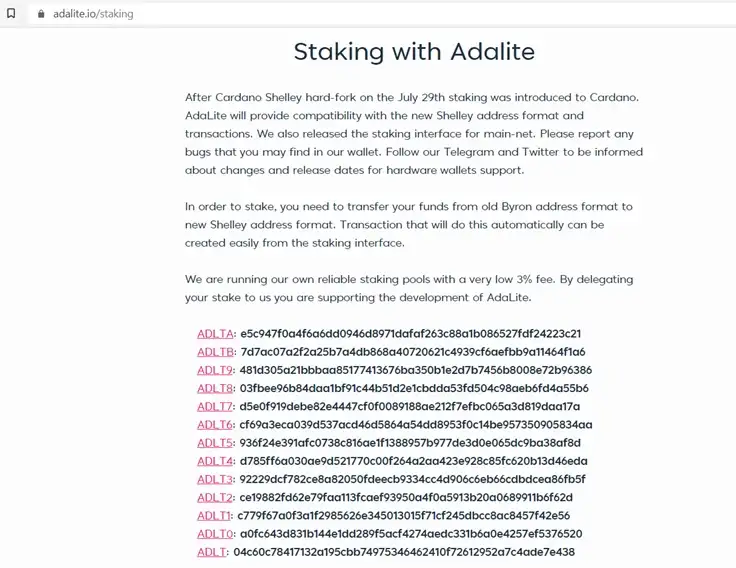
9) Click the ‘Delegate’ button. Then confirm the transaction on your Ledger device. When it is done, you will see the ‘Transaction successful’ notification.

Wait for the ‘Transaction successful’ notification.

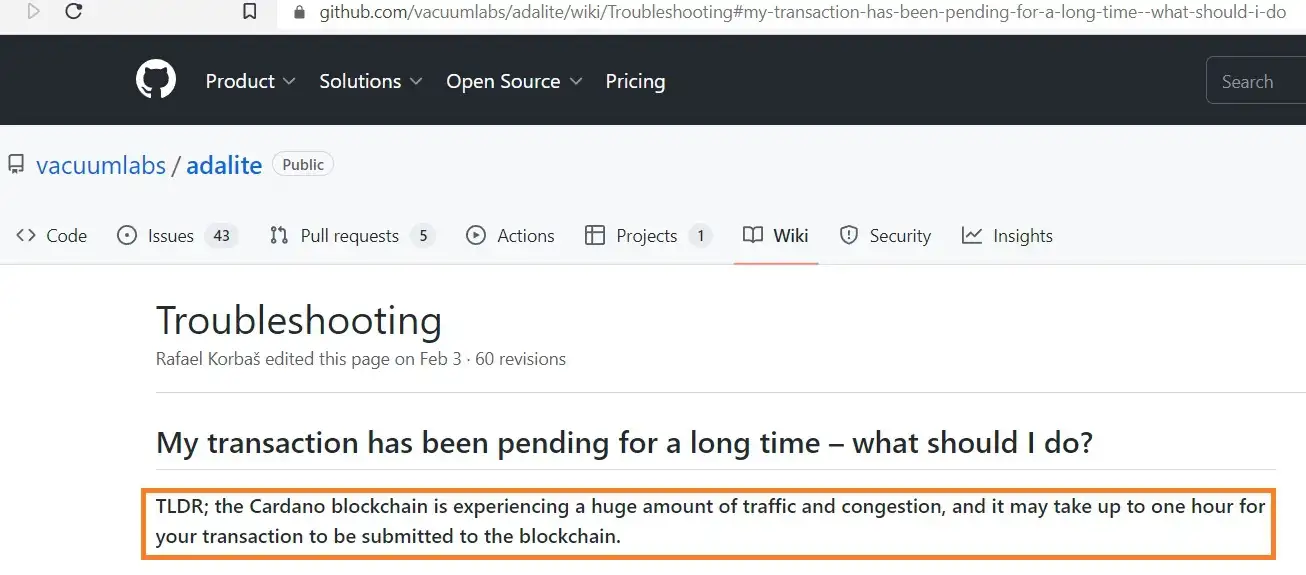
If it takes too long for the transaction to go through after you have confirmed the transaction on your Ledger, this is probably due to high on-chain traffic.
And with this, you are done!

As you can see in the image above, it now shows that there is still more than 4 months’ time until the next reward will be transferred into my rewards account.

Comments

All Comments

Recommended for you

  • Anthropic's Secondary Market Valuation Reaches $1 Trillion, Surpassing OpenAI

    On April 23, Anthropic's valuation on private equity trading platforms like Forge Global has risen to around $1 trillion, surpassing OpenAI's $880 billion. It is reported that the valuation of this artificial intelligence startup has rapidly increased due to buyers competing to purchase the increasingly scarce secondary market shares of Anthropic. (Dongxin News Agency)

  • BTC Surpasses $78,000

    Market data shows that BTC has surpassed $78,000, currently priced at $78,000.81, with a 24-hour decline of 0.14%. The market is experiencing significant volatility, so please ensure proper risk management.

  • Bitmine Allegedly Acquires 100,000 ETH Worth $233.7 Million

    On April 23, according to monitoring by Lookonchain, three new addresses suspected to be associated with Tom Lee's Bitmine (0xB6a8...9c9E, 0xc2e0...2831, 0x4e5C...276c) received 100,000 ETH from BitGo, valued at $233.7 million.

  • Musk: AI Chip Shortage Expected in the Future

    On April 23, Tesla CEO Elon Musk stated during an earnings call that the company initiated the Terafab chip factory project due to an anticipated severe shortage of AI chips in the future. He remarked, "In terms of industry growth rates, logic chips, and even more so storage chips, we expect to encounter bottlenecks if we do not manufacture chips ourselves. This is the reason for the birth of Terafab." (Dongxin News Agency)

  • US Spot Bitcoin ETF Sees Net Inflow of $331.9 Million Yesterday

    On April 23, according to monitoring by Trader T, the US spot Bitcoin ETF experienced a net inflow of $331.9 million yesterday.

  • US Spot Ethereum ETF Sees Net Inflow of $96.43 Million Yesterday

    On April 23, according to monitoring by Trader T, the US spot Ethereum ETF saw a net inflow of $96.43 million yesterday.

  • U.S. State Department Urges American Citizens to Leave Iran Immediately

    On April 23, the Bureau of Consular Affairs of the U.S. State Department posted on social media that, given Iran's announcement of partial airspace reopening, American citizens in Iran should leave immediately. The post advised U.S. citizens to stay informed about the situation through local media and to consult commercial airlines for information on flights departing Iran. Additionally, U.S. citizens can also travel by land to Armenia, Azerbaijan, Turkey, and Turkmenistan, but should avoid areas along the Iran-Afghanistan, Iran-Iraq, or Iran-Pakistan borders.

  • Tesla: Increasing Investment in AI Computing Power and Advancing New Battery and Material Factories

    On April 23, Tesla's official blog announced that the company is increasing its investment in AI computing power to advance the construction of new battery and battery materials factories. This move is also aimed at further preparing for the production of the third-generation Megapack energy storage system, the Tesla autonomous electric vehicle Cybercab, and the Tesla electric truck Semi.

  • USA: Deploying the Strongest Military Force in History to the Middle East

    On April 23, local time April 22, the U.S. Central Command announced that since the U.S. military began its blockade operations in the waters related to the Strait of Hormuz on April 14, it has requested 31 vessels to turn around or return to port as part of the blockade. The U.S. Central Command also stated that the military is currently deploying the most comprehensive and powerful military force ever seen across the Middle East.

  • Iran Does Not Officially Respond to Extended Ceasefire Deadline

    On April 23, Iran has not provided any official response regarding U.S. President Trump's announcement to extend the temporary ceasefire deadline, nor about the possibility of a second round of negotiations with the U.S. Iranian public opinion widely believes that the contradictions in U.S. rhetoric and its constantly changing policies are the main reasons for Iran's inability to trust the U.S. Additionally, Israel's repeated violations of the Lebanon-Israel ceasefire agreement and the ongoing U.S. maritime blockade against Iran are key factors affecting the negotiation process. Analysts point out that the risk of renewed war and conflict remains very high, and if both sides continue to insist on their current demands and conditions, the nature of this regional crisis may evolve from a purely U.S.-Iran issue into a global problem.